Monday, April 28, 2014

Educational Communities

As I've talked about before, technology is a big deal in the world of education.  One company that took this idea and ran with it is ePals.  You can find their website here: www.epals.com.  It's dedicated to creating educational communities and promoting collaborative learning.  They offer a whole slew of resources for teachers and students, including my personal favorite: Global Community, which allows teachers to join forces from across the world, bringing their students together to work on shared projects in an enriching experience for both groups.  American students learning Mandarin could connect with students learning English in China, for example.  Teachers who sign up simply need to enter their class's age group and languages, which other teachers looking for collaborative opportunities can search by, as well as information regarding the nature of the desired interaction.


Global Community is a wonderful opportunity for teachers to create authentic experiences for their students.  In this regard, it is unmatched by other resources.  Students will also get practice using technology and participating in the global community, which is an end unto itself.  As mentioned earlier, this would be an excellent tool in a language learning classroom, and is one I would definitely consider for my own.

Monday, April 21, 2014

Digital Storytelling Forever

I found another one.  GoAnimate.com allows users to create a sort of living comic strip.  The free version is limited to 30-second presentations, just like Animoto, but it offers a very high degree of flexibility.  Users can choose from a variety of styles, like comedy or anime, then select pre-made characters and backgrounds to fill a scene.  Characters can be posed and made to move around; you can record sound bites to make them speak, or use the text-to-speech generator.  Here's an example video I made, in which two ninjas discuss the subjunctive mood:

Ninjas Argue Subjunctive by Dionaeus on GoAnimate

Students could obviously have a lot of fun using a program like this for projects.  In a language classroom, many assignments involve scripting conversations to a particular purpose; GoAnimate offers a fun, fresh way to liven that up.

More Digital Storytelling

My exploration of the world of digital storytelling continued this week as I discovered more video generating tools.  One site I really like is called Animoto.com, which allows users to make beautiful videos with hardly any work at all.  They have a number of pre-made show styles available; all you have to do is select text and upload a few images or short video clips.  Unfortunately, you have to pay for the full version.  I found, however, that the 30-second time limit on shows you can create in the free version might actually be the perfect size for small student projects.  Without having to spend too much time, they can create a very nice-looking video to show to the class.  It would be a great way to have students present small bites of information to each other, allowing them to take a teaching role for 30 seconds at a time.  Here's one I made in about ten minutes, demonstrating two easily-confused direction words in Spanish: derecho (straight) and derecha (right).


Derecho vs. Derecha

Saturday, April 12, 2014

Digital Storytelling

Digital storytelling is a trending form of expression through video.  You can get a quick run-down of what it is and what it's all about here, courtesy of EDUCAUSE; or, you can stay right here and keep reading.

Narrative is the primary element of a digital story, and is usually used in conjunction with images, music, and other digital techniques.  Digital stories are catching on in the education world as instructional tools that teachers can use - multimedia teaching has been shown to promote student engagement.  They are also popular as learning tools for students.  EDUCAUSE gives the example of David, a computer science major who is inspired by the project to create a digital story about his love for blues guitar, surprising his classmates and professor with an unknown side of himself.  You can see some examples of both types at the University of Houston's home site for the educational uses of digital storytelling.

This is how I would use digital storytelling in my classroom.  While I recognize the potential of the medium as a tool for instruction, I also must admit that in a Spanish classroom, where much of the focus is on exploration of foreign cultures, my students would in most cases be better served by a higher degree of authenticity than I could provide on my own.  I would consider using "found" stories created by others for certain purposes, but digital stories will likely see more use in my class as a format for student projects.  My hope is that the freedom allowed by the digital story will encourage creativity and motivation, even from students who might not respond to other strategies.

https://blogger.googleusercontent.com/img/b/R29vZ2xl/AVvXsEikFYkC5u4bpKM6DjyGklk57ubwoJwj9GZyr3UehH53zBWKAXmhkjgcHdeYeQIhTuoFbhrwh6fgZSZb2bkGdPKX6FIC4sZXutLSPO6QMz49DPAcjuItDerp4ZhPkn37PT1YBxdmV6qBW3c/s1600/whatsyourstory.jpg

Monday, March 24, 2014

More Gamification: Serious Games

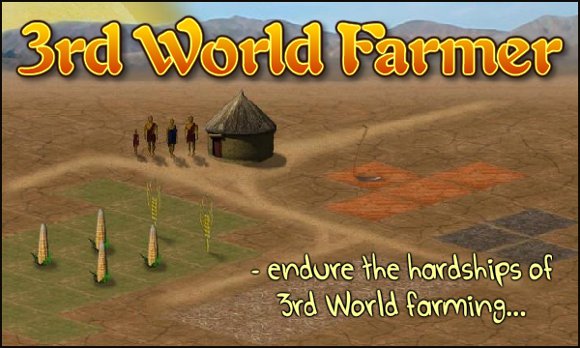
In my last post, I wrote about playing games for education in the classroom.  This time, I want to talk about games that students can play at home.  I found one called 3rd World Farmer that does a great job illustrating the hardships faced by people in certain other areas of the world.  The player controls a family struggling to succeed on a farm under harsh conditions, battling drought, sickness, civil war, and a slew of other calamities.  Each turn in the game covers a year, meaning that one game might span generations - if you're lucky.  3rd World Farmer is a relatively simple, but brutally difficult game.  I played at least a dozen times, and most of my families died out before achieving success.

Play 3rd World Farmer - endure the hardships of 3rd World Farming.

3rd World Farmer was available in Spanish for a time, and I hope the translated version returns.  It would be an excellent at-home complement to farming, finance, or even family vocabulary units, reinforcing the material while also promoting strategic thinking and global awareness.

Gamification and the Mystery of Time and Space

Gamification is a quickly growing trend, in which an activity is given game elements to turn it into - you guessed it! - a game.  Games can be powerfully motivating, and indeed, gamification is most often used as a motivational strategy: it can be used to hook people on a product or service, to promote behaviors like recycling, or even to motivate students in an educational setting.  Obviously, this last is the one I'm most interested in.

I recently played a game called Mystery of Time and Space (MOTAS), which is an escape the room-style point-and-click game in which players need to manipulate the objects in a locked room in order to escape and move on to the next room.  When the mouse is held over an object, its name appears, and clicking it earns the player a description.

Screen shot 2010-04-20 at 10.10.36 PM

Games like this are often used in classrooms to practice language skills.  MOTAS is especially popular, and there are a number of resources like this one to guide teachers in integrating it into their classrooms.  It is available in a variety of languages, including Spanish, making it a useful tool in any language classroom.

I might employ a lesson in which students must find every object in a room and write a short description for each, with the goal of expanding and practicing vocabulary in a more authentic setting than a textbook can provide.  Once that has been done, students could be given a walkthrough to follow (a list of the steps to take in order to complete or escape the room), which would allow them more practice and me an opportunity to gauge their comprehension skills.


Monday, March 10, 2014

Twitter for Teaching

My last post focused on some of the issues I have with Twitter, most of which can be much more briefly summed up by #1 on this list: 10 Twitter Mistakes You Should Avoid.

Another list, however, describes an awful lot of things Twitter is good for: A Must-Have Guide to Using Twitter in Your Classroom.  My personal favorite is under Communication: "#11: Stay on top of the learning process: Ask students to tweet and reply about what they’re learning, difficulties they’ve faced, tips, resources, and more as an online logbook."  This is a good trick, and unlike some of the others, it's not one that can be easily duplicated with e-mail.  Getting students communicating and involved in their own learning can be powerful, and connecting to them by engaging them using social media networks they likely already use is a good way to get that started.  #14: Teaching Bite-size Info is also a good one.  Tweets are perfect for sharing the small things that are bound to get left out of the lesson on occasion.  These bites should be interesting and relevant so that students find them valuable, but any vital information should be covered in class.  Treat them like treats, and encourage your students to do the same.